
Apply for a trial
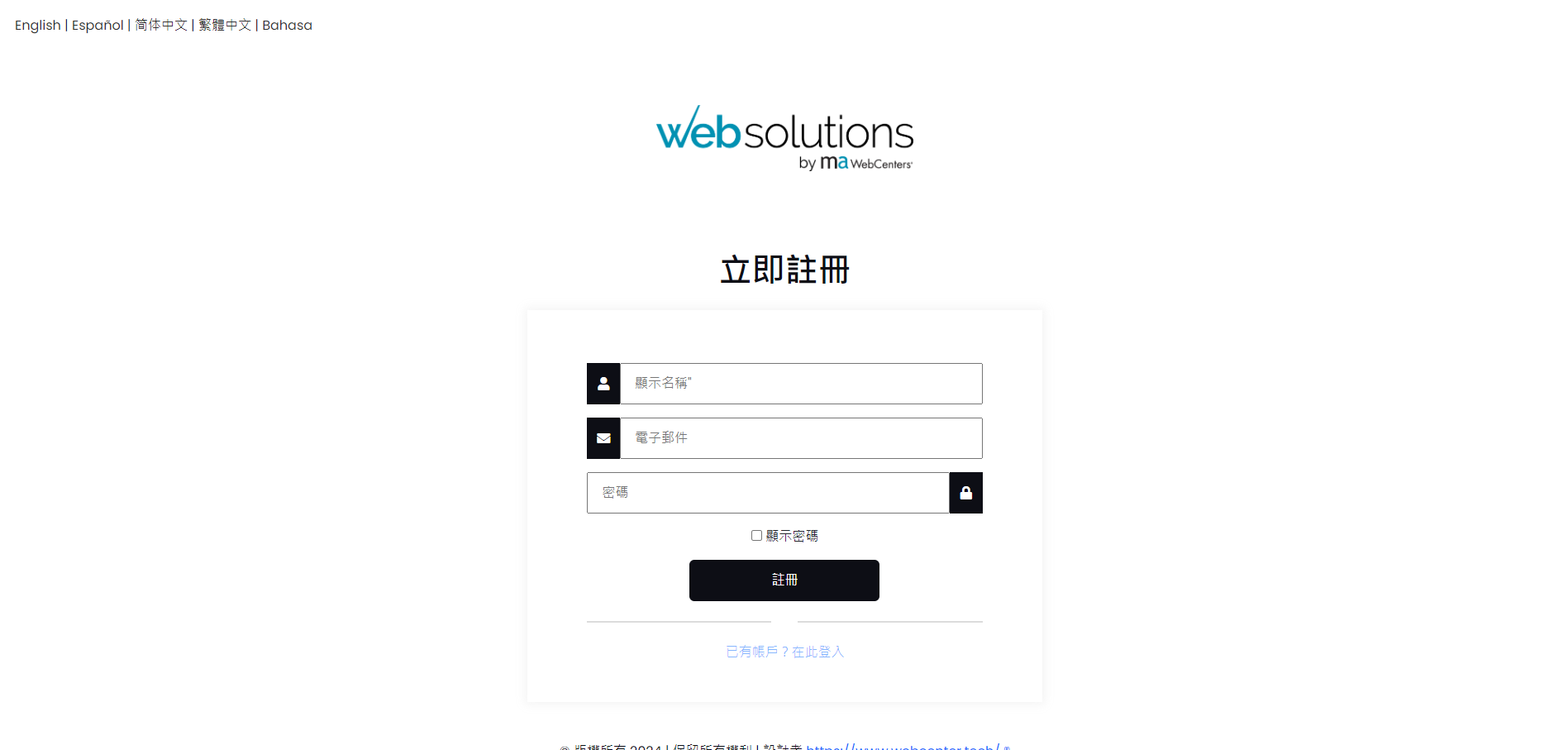
Step 1: Register an account
Click the Register Now button to register an account and log in. (As shown below)
Step 2: Create a website
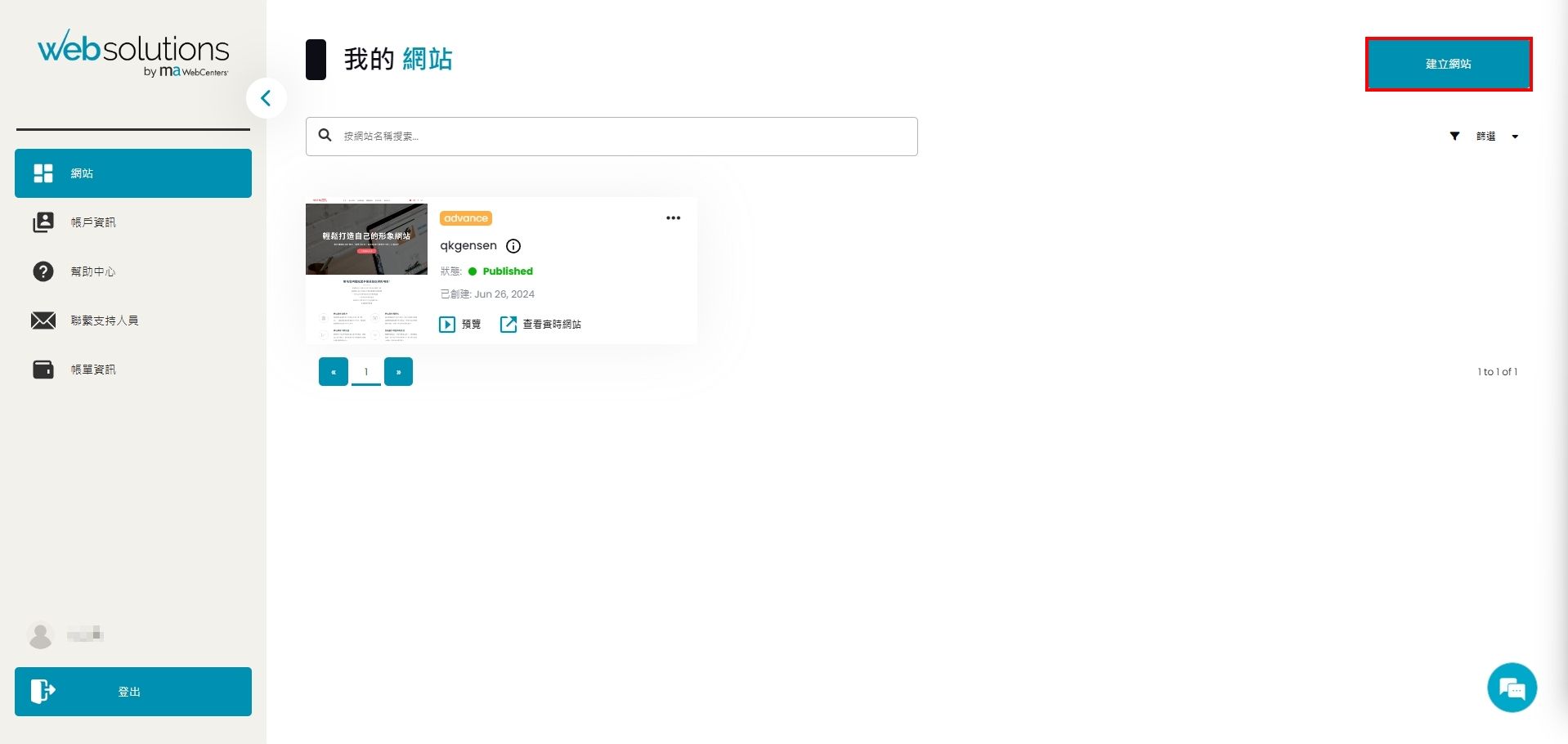
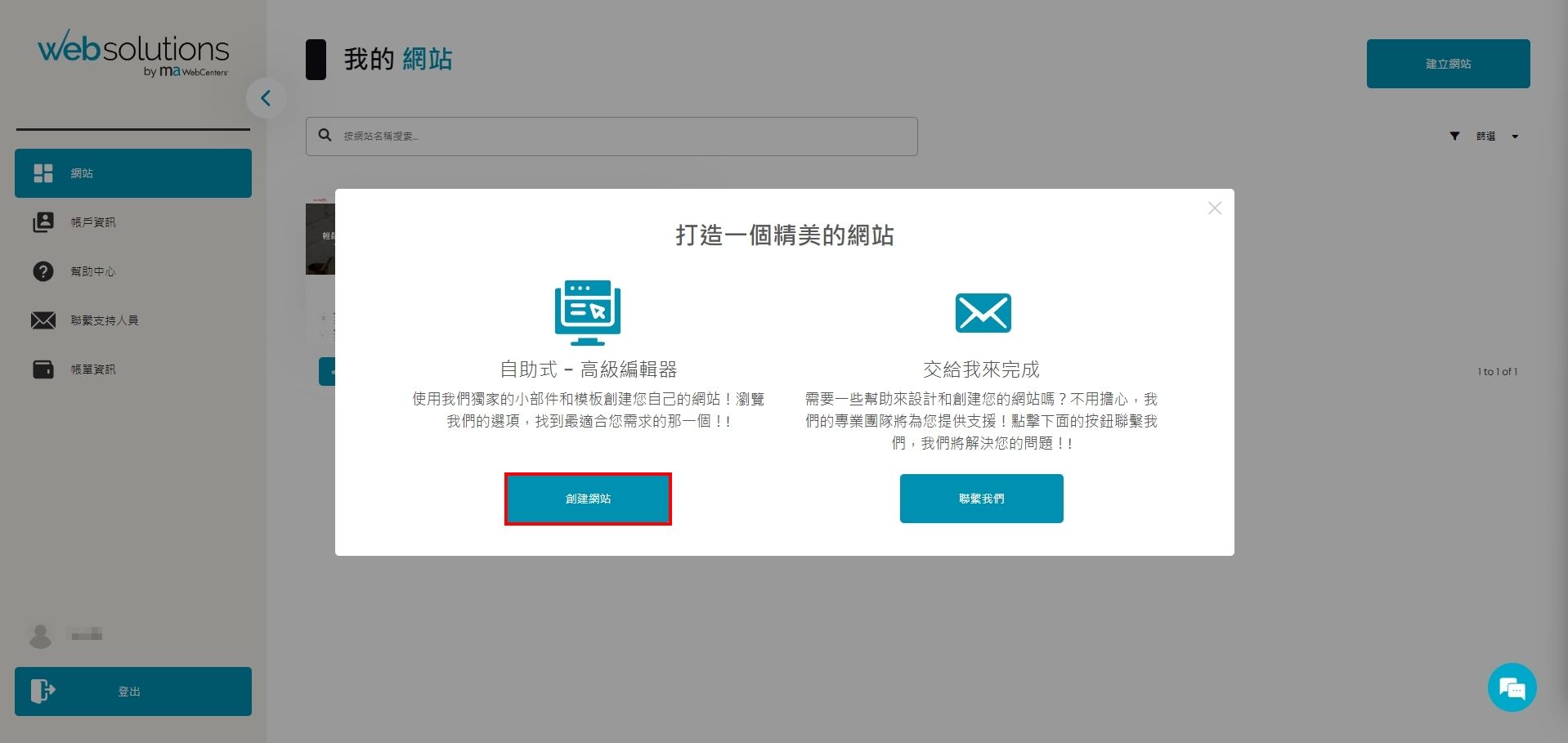
Please click the [Create Website] button in the upper right corner (as shown in Figure 1 below). After the pop-up window appears, click the [Create Website] button on the left (as shown in Figure 2 below)
Step 3: Select a trial plan and template
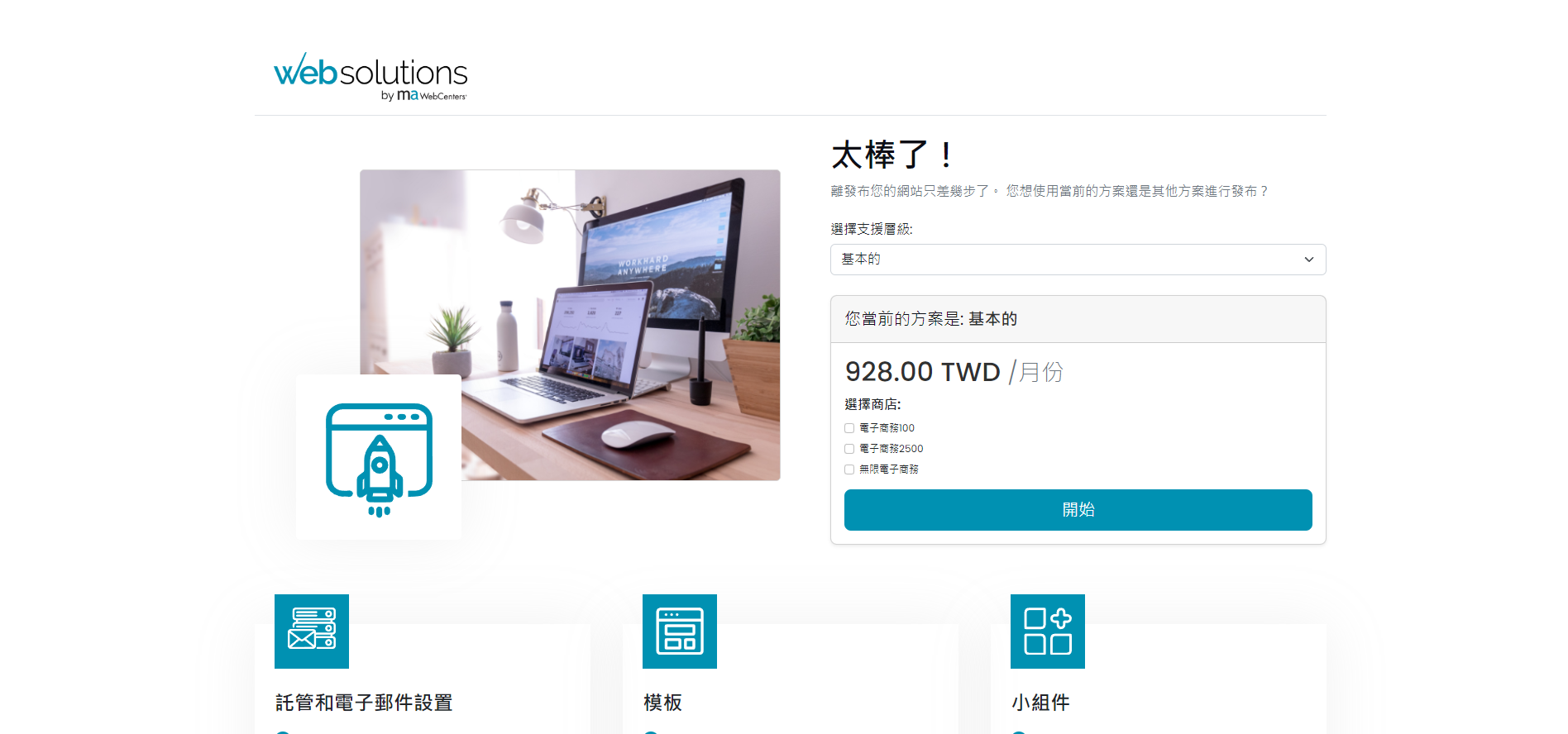
The levels are divided into basic, standard, and management levels. There are also e-commerce service functions below. You can choose the plan you want to try and click [Start] after selection (as shown in Figure 1 below).
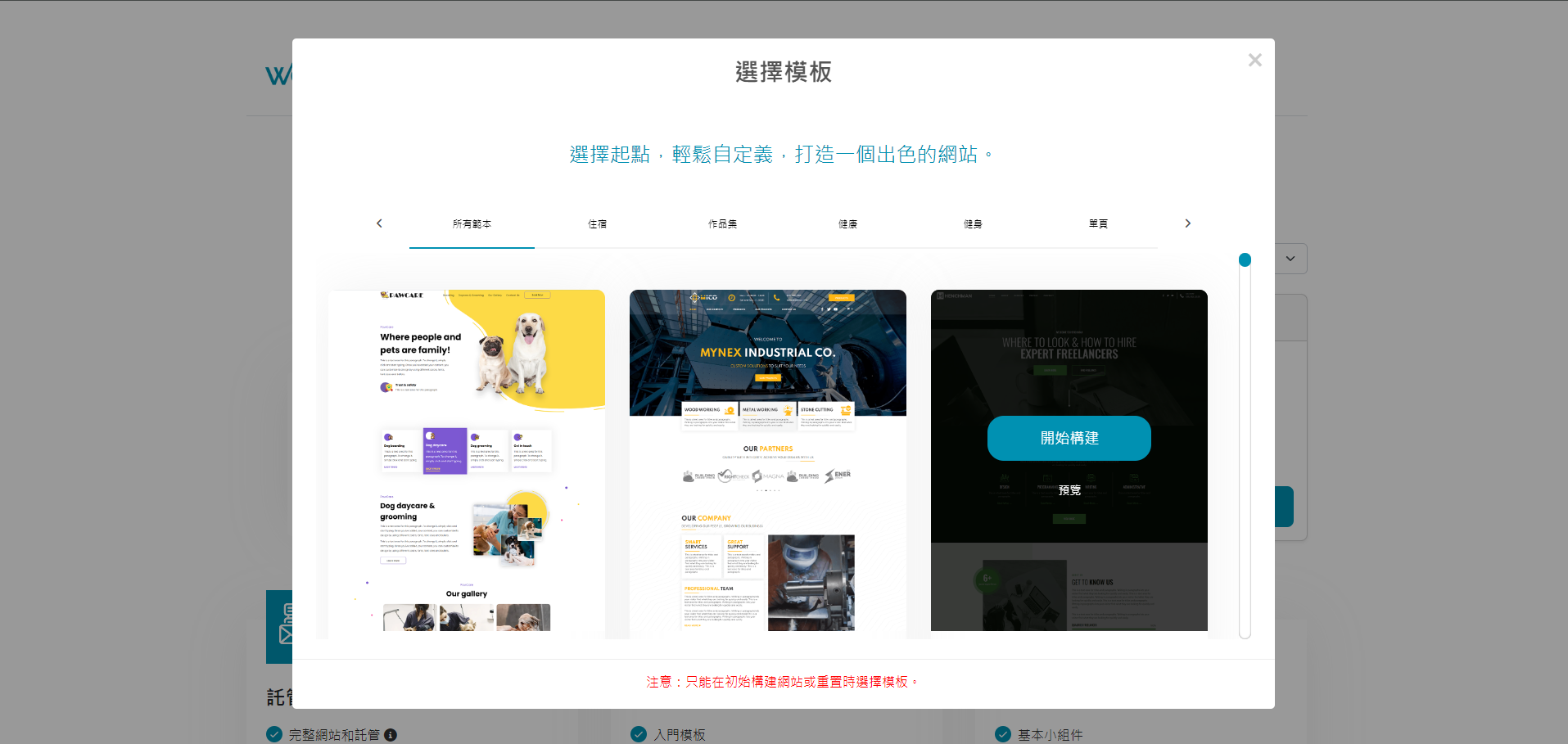
When the template selection window pops up, you can select the template you want and click [Start Build] (see Figure 2 below).
Note: You will not be charged for this step. You will need to fill out the payment form only after publishing the website.
《For detailed information on various plans and e-commerce services, please contact us for details》
Step 4: Start the trial
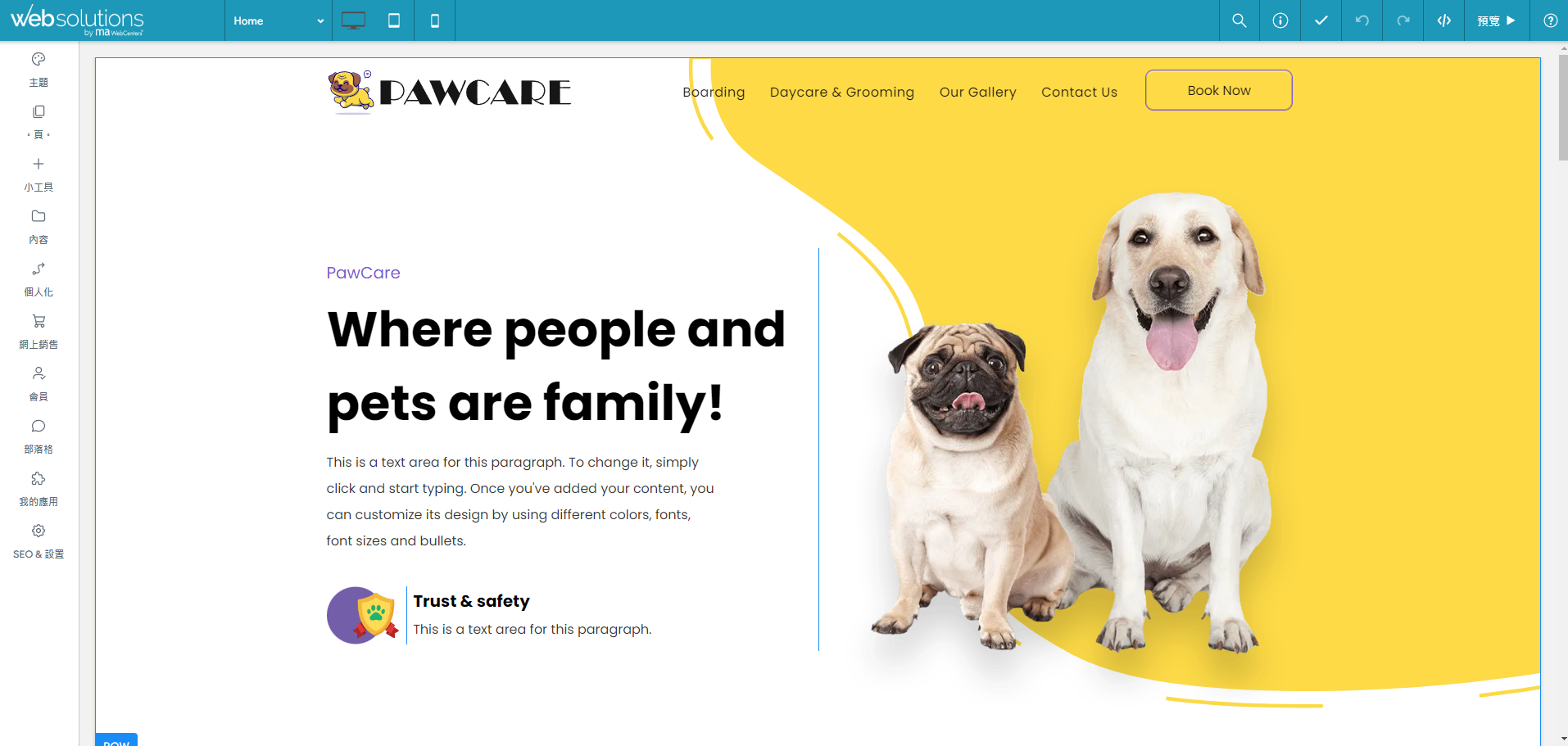
Once you reach this editing screen, you can start trying it out!
Precautions
- You will not be charged for step 3. You will only need to fill out the payment form when publishing your website.
- If you would like to pay to activate after the trial, we strongly recommend that you contact us. We will provide a solution based on your needs and adjust the one-time fee accordingly.
- For detailed information on various plans and e-commerce services, please contact us for details.